

Open the Bulk launches page
To open the Bulk launches page:- In the GBG Go platform, click Investigation on the left navigation menu.
- Click Bulk launches.
- Click the Production Environment or Preview Environment tab, depending on the mode that the bulk launch ran in.
- Optional: Select the region that the bulk launch ran in from the region list in the top-right corner of the page.
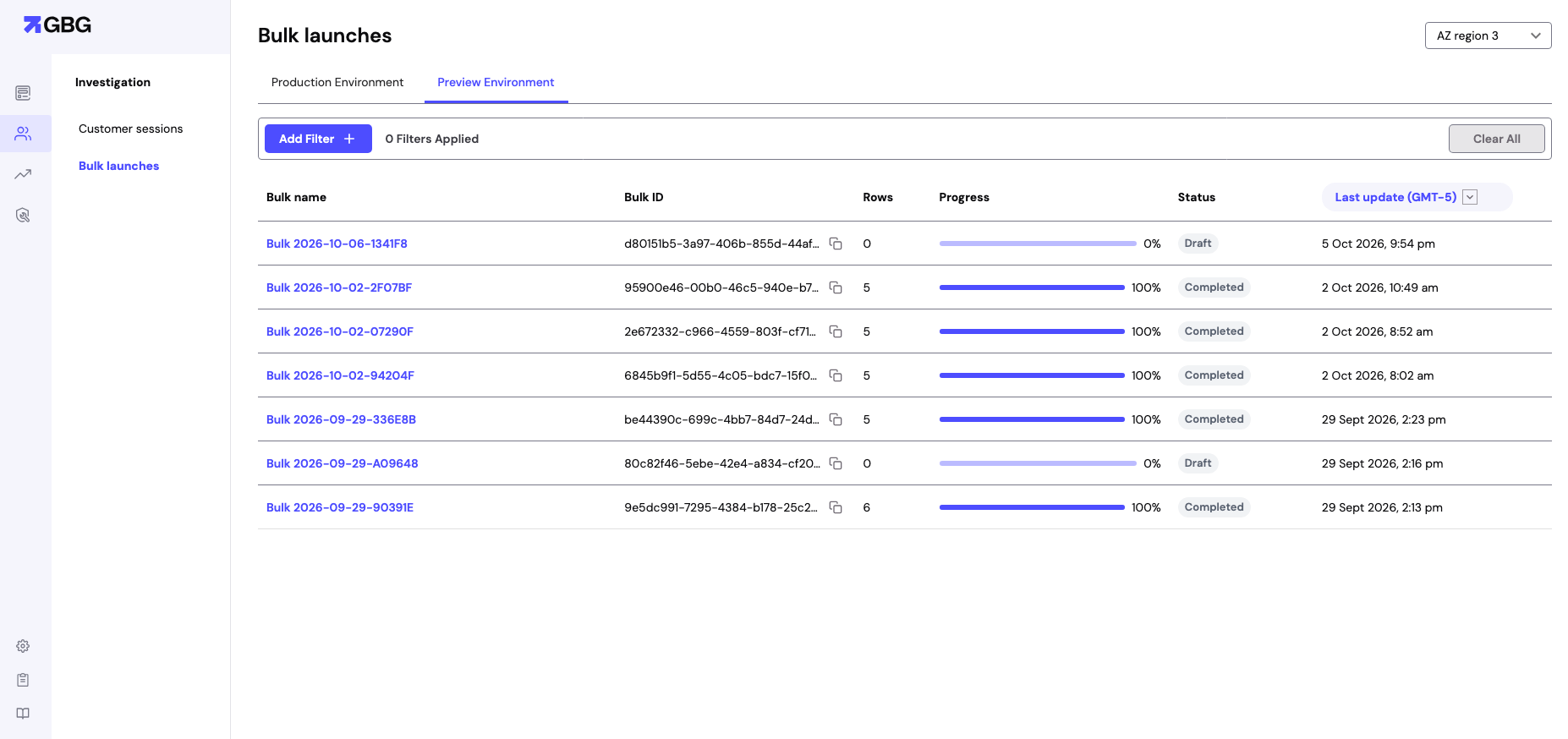
Bulk launches page in Investigation
To narrow down the list, click Add Filter. To remove every filter, click Clear All.
Filters work the same way as on the Customer sessions page. To learn more, see Filter sessions.
View the rows of a bulk launch
To view the rows of a bulk launch, click its name in the Bulk name column. The bulk launch page opens.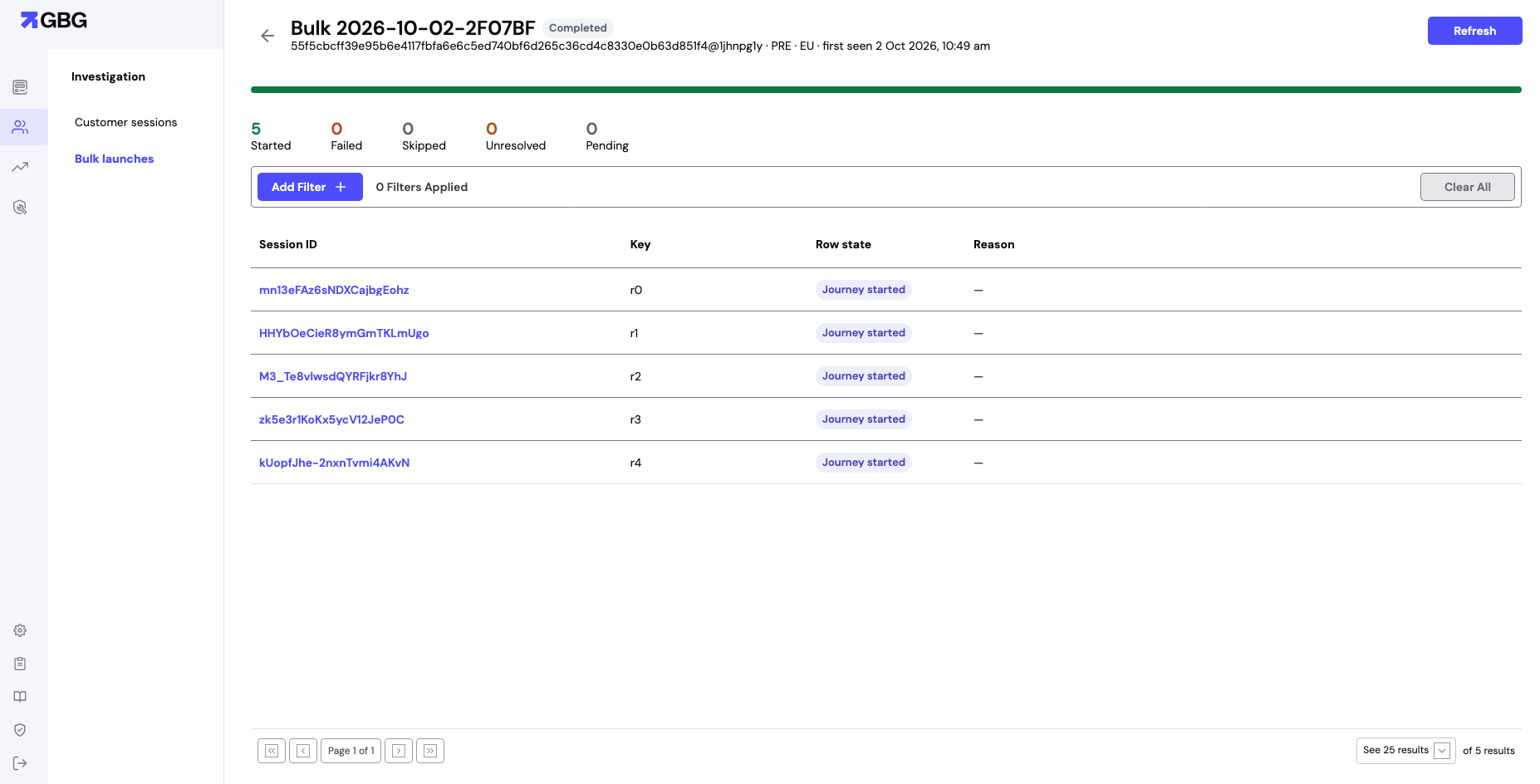
Rows of a completed bulk launch
The table contains the following columns:
To review the modules, data, and decision of a row, click its session ID. To learn more, see View details of a journey session.
To filter the rows, click Add Filter. To move between pages of rows, use the page controls under the table.
Next steps
- To create a bulk launch from a journey, see Bulk launch.
- To review a journey session in detail, see View details of a journey session.
- To change the decision of a journey session, see Change decisions.