Before you start
Before running this quickstart, make sure you can:- Create and publish journeys in GBG Go.
- Access the Investigation portal.
Step 1: Build a journey that includes the Manual Review module
Create a journey that sends the cases you want a human to see to the Manual Review module. The example in this guide screens the subject, routes any match to a reviewer, and ends the journey on the reviewer’s decision.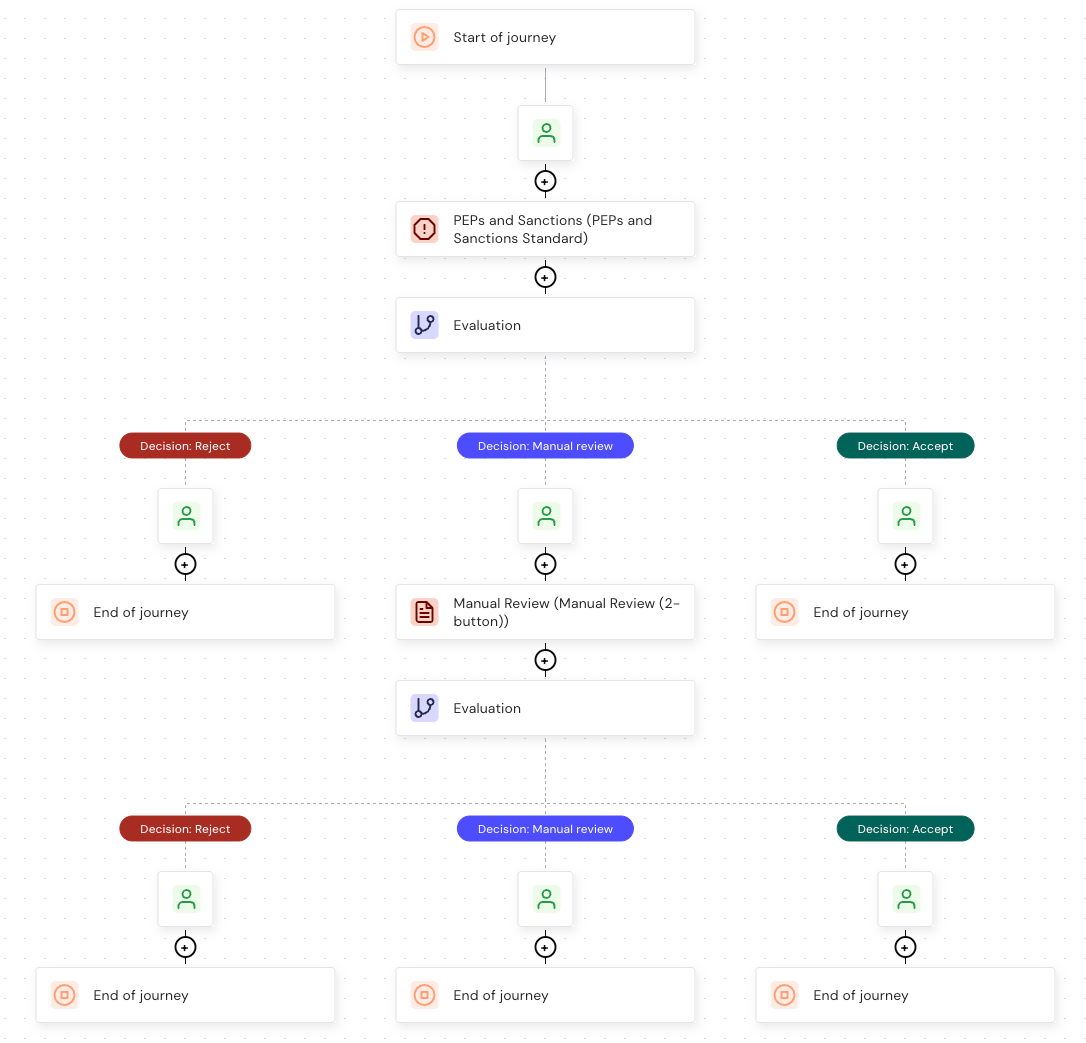
- Add a PEPs and Sanctions module, then add an Evaluation node after it.
-
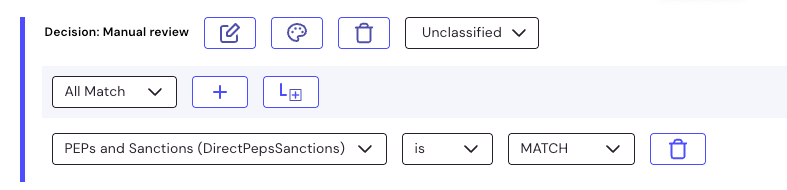
In the Evaluation node, configure a Manual review decision that applies when the screening module returns a match.
- Add the Manual Review module to the Decision: Manual review path.
-
Add a second Evaluation node after the Manual Review module, then configure the decisions that route the reviewer’s choice:
- An Accept decision that applies when the Manual Review module returns Accept.
- A Reject decision that applies when the Manual Review module returns Deny.
- Publish the journey.
The Manual Review module pauses journey execution until a reviewer submits a decision or the configured duration elapses. For the capabilities and outcomes the module returns, see Manual Review.
Step 2: The end user submits their details
When the journey reaches the Manual Review module, it pauses. The end user sees a message telling them that their submission is being reviewed, and the journey stays in progress until a decision is reached or the configured duration elapses.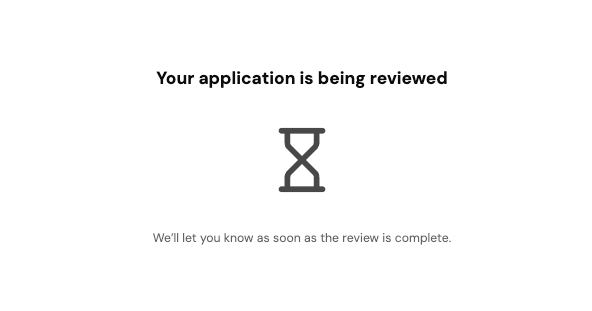
Step 3: Open the review in the Investigation portal
To find a session that is waiting for a decision:- In GBG Go, click Investigation. The Investigation portal opens.
- Open the session you want to review.
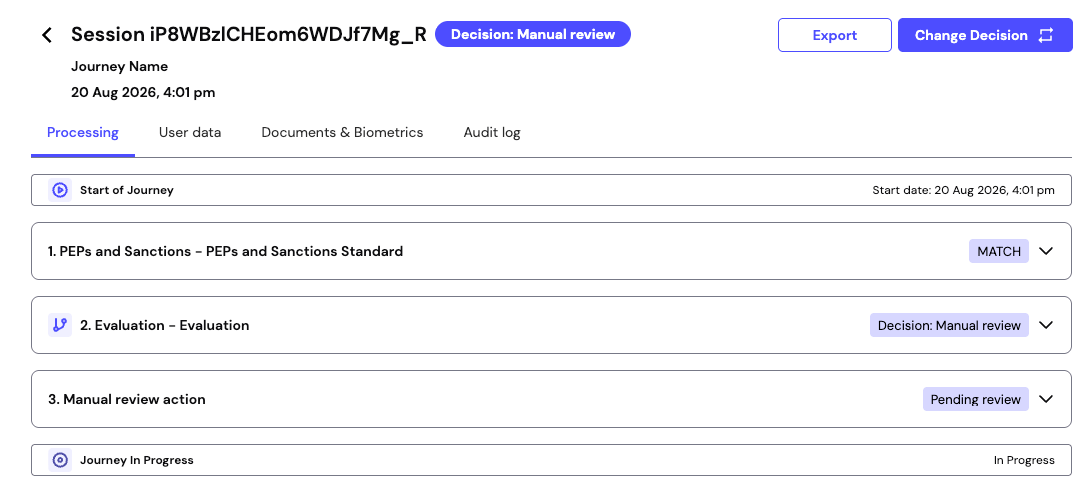
Step 4: Submit the decision
To submit the decision:- Expand the manual review action.
- Click Open review. The Manual review dialog is displayed.
-
Click Accept or Deny.
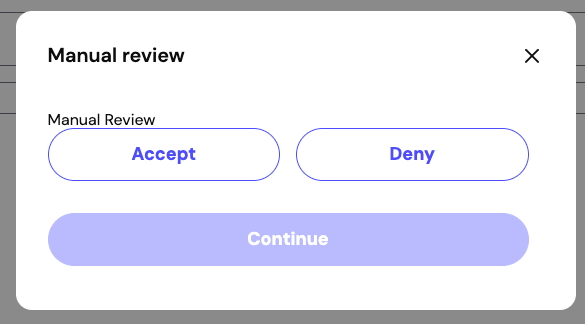
- Click Continue.
Step 5: Confirm the journey completed
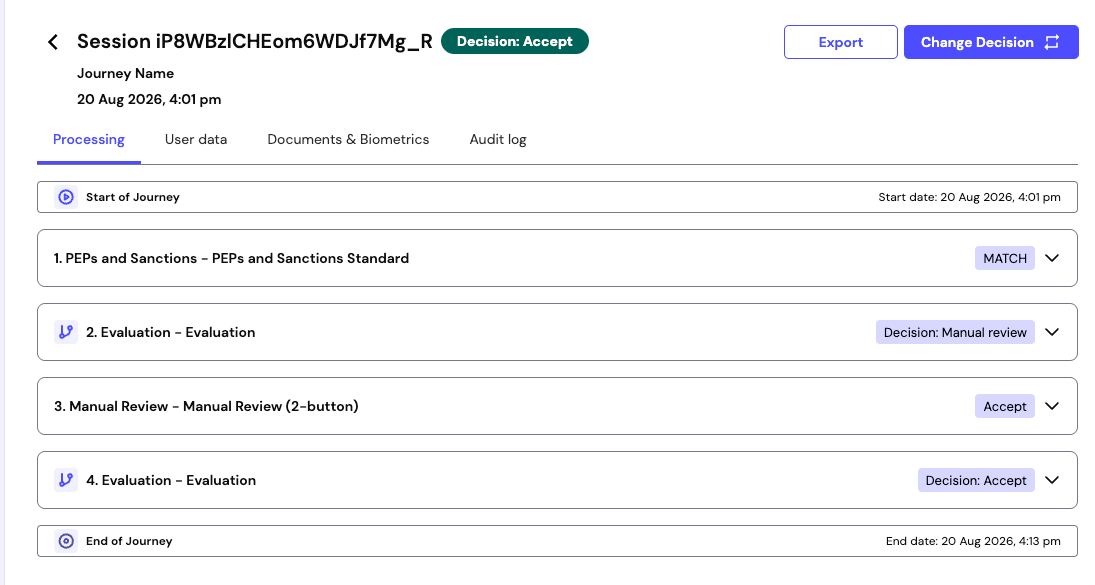
Once you submit the decision, the journey resumes and runs to completion. The end user sees the completion screen for the path the journey took. Back in the Investigation portal, the session shows the manual review action with the decision you submitted, the final evaluation decision that followed from it, and an end date.